URL encoding: keep plus signs, spaces and ampersands intact
 Written by Feroz Sheikh · Founder, Doha, Qatar
Updated 2026-10-18. This is a working note for a live tool, not legal, tax, or professional advice.
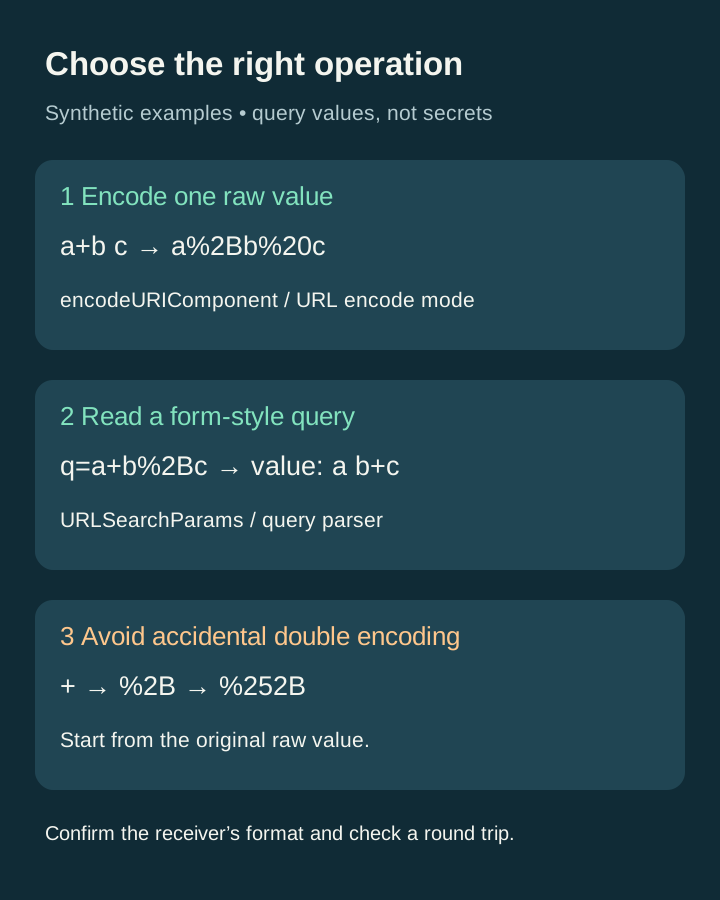
To preserve a literal plus sign in a form-style query value, encode it as %2B. Encode an ampersand inside that value as %26. A space can appear as %20 or, under form-encoding rules, +. The important choice is whether you are encoding one value or building a complete query string—not which output looks shorter.
Start with one value, not the whole address
Suppose your search term is C++ & tea. In OpenToolSuite, choose URL encode, paste only that term, and select Transform locally. The expected result is C%2B%2B%20%26%20tea. Keep the question mark, parameter name and separating equals sign outside this conversion.
If you encode an entire address with this mode, its slashes, question mark and equals signs become data too. That is appropriate only when the whole address is itself a value inside another parameter. It is not how to prepare an ordinary clickable URL.
Why the decoder keeps + but the query parser changes it
OpenToolSuite’s URL decode mode applies decodeURIComponent. Our live check of a+b%2Bc returned a+b+c: the raw plus stayed a plus, while %2B decoded to another plus.
A form-style query parser has a different job. For q=a+b%2Bc, URLSearchParams returns the value a b+c. It treats the first plus as a space before percent-decoding the protected plus. Use the query parser to inspect query parameters, not the component decoder as a substitute for a parser.
This distinction does not mean every plus everywhere in a URL represents a space. The receiving application’s format matters. Do not apply form-decoding rules blindly to a filename or path.
MDN: URLSearchParams, percent encoding and preserving plus signs
Build query strings from raw values
In JavaScript, create a URLSearchParams object from raw names and values, or call url.searchParams.set(name, value). For example, new URLSearchParams({ q: 'C++ & tea' }).toString() produces q=C%2B%2B+%26+tea. The plus characters between words represent spaces; %2B preserves the literal plus characters.
Do not first encode the value and then pass that encoded text to set or append. The API treats a percent sign as ordinary input and encodes it again. A raw + becomes %2B after one component conversion and %252B after a second. If your intended original text literally contains %2B, however, encoding its percent sign is correct.
For repeated parameters such as tag=red&tag=blue, keep both entries when the receiving API expects a list. URLSearchParams.get returns the first value; getAll returns all values. Check the receiver’s contract rather than assuming every server uses the same duplicate-key rule.
What we actually tested in OpenToolSuite
On 17 October 2026, we used the live Base64 & URL Converter with synthetic text. URL encode converted C++ & tea to C%2B%2B%20%26%20tea, and Copy returned that exact string. URL decode converted it back to C++ & tea. The separate a+b%2Bc test returned a+b+c.
These browser checks are separate from our saved 27-assertion Node fixture, which checks JavaScript encoding and parsing semantics. A passing language fixture does not prove every website control or download works.
Update, 18 October 2026: the readiness and stale-result issue is fixed and rechecked on the live tool. Changing the input or mode clears the previous result. Submitting %ZZ or the incomplete UTF-8 escape %E0%A4%A in URL decode mode shows Review required and disables Copy and Download text. A subsequent valid caf%C3%A9 conversion returns café with export controls enabled; Copy returned café exactly.
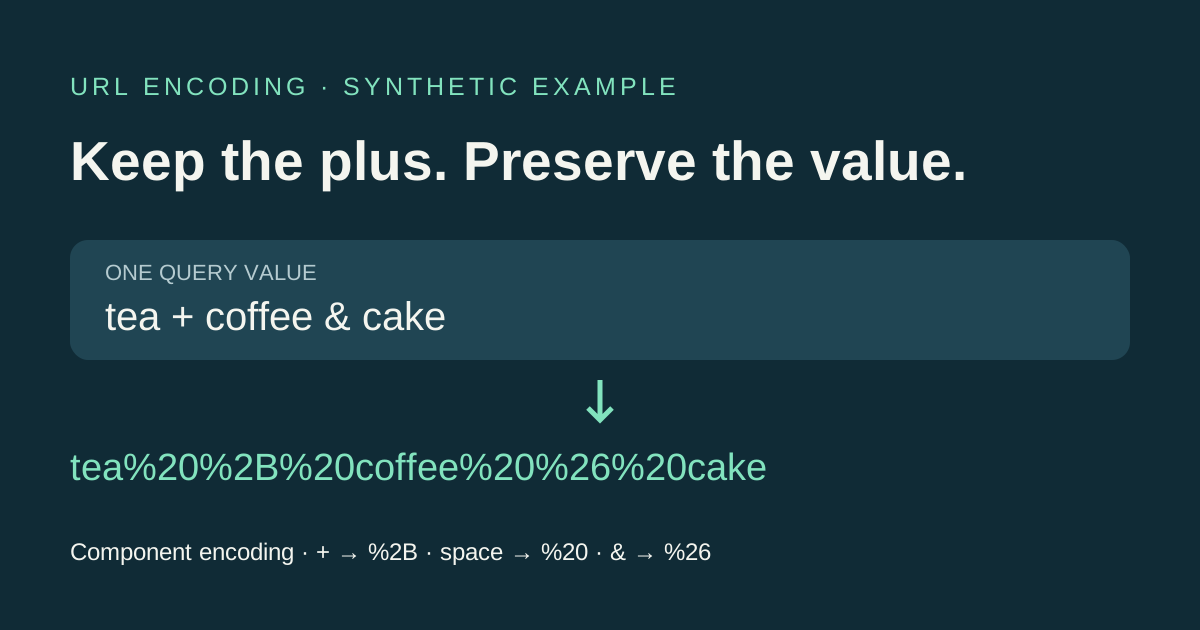
For a separate successful export test, tea + coffee & cake produced tea%20%2B%20coffee%20%26%20cake. Download text created a 31-byte file whose bytes matched that exact result. This verifies that one synthetic export, not every possible input.
A practical check before you use the result
Keep a plain-text copy of the original test value. Choose the encoding mode deliberately, transform once, and compare every plus, space and ampersand. Decode the resulting value with the matching method and check that it returns the original. Then test the value in the receiving system using harmless sample data.
Do not remove %25 sequences automatically: a nested URL or a literal percent sign may require them. Do not rewrite a signed URL merely to change + to %20; equal decoded values do not guarantee identical bytes for signature verification.
Use synthetic values for demonstrations. Encoding changes representation; it does not encrypt secrets. Our inspected conversion handler uses browser JavaScript and has no upload call in that handler, but this is not a whole-site network or browser-extension security audit.