Base64 for Hindi, emoji and accented text: a UTF-8 guide
 Written by Feroz Sheikh · Founder, Doha, Qatar
Updated 2026-10-18. This is a working note for a live tool, not legal, tax, or professional advice.
If a Base64 converter works with hello but breaks with नमस्ते or an emoji, check how it turns text into bytes. Use UTF-8 before Base64 encoding, and interpret the decoded bytes as UTF-8 afterward. The examples below let you check the whole round trip instead of trusting a result that merely looks plausible.
Try a complete round trip in the browser
Open the converter, choose Base64 encode, and paste नमस्ते without quotes or an extra line break. Select Transform locally. The expected output is 4KSo4KSu4KS44KWN4KSk4KWH. Copy that output, change the mode to Base64 decode, paste it into Input, and transform again. The decoded text should be नमस्ते.
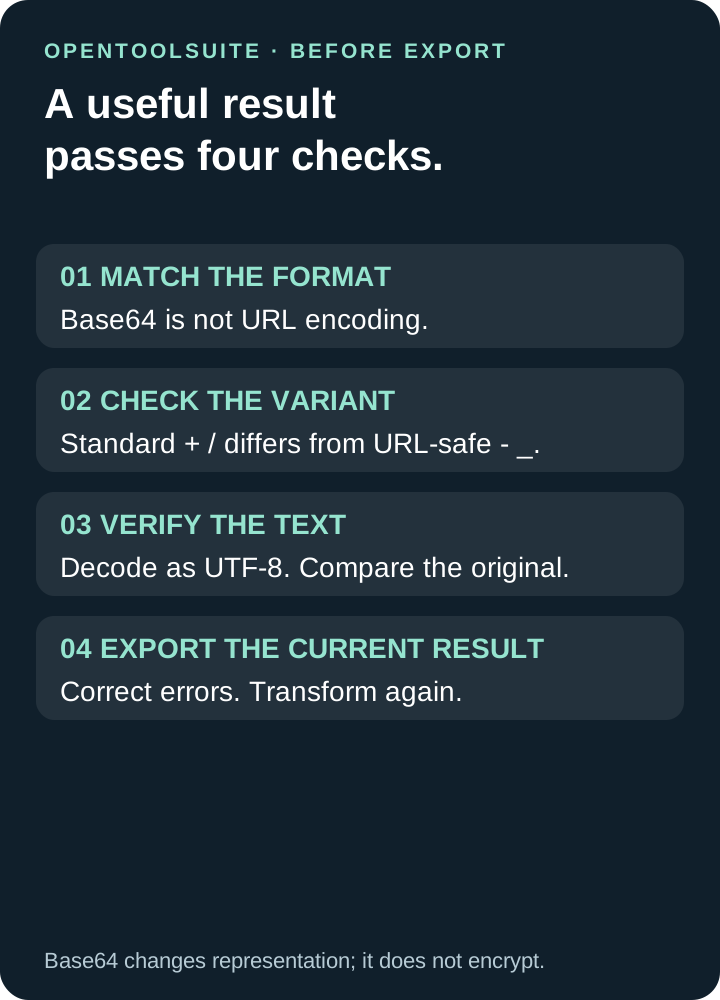
Changing the input or mode clears the previous conversion. Copy and Download text are available after a successful transformation. If the result says Review required, correct the input and transform again before exporting. An error message is not decoded text.
Keep the original text available separately. A round trip means the decoded result equals the original sequence, including accents, punctuation, spaces and line breaks. It does not prove that a receiving application uses the same encoding or accepts the same Base64 variant.
Checked examples: ASCII, Hindi, Arabic and emoji
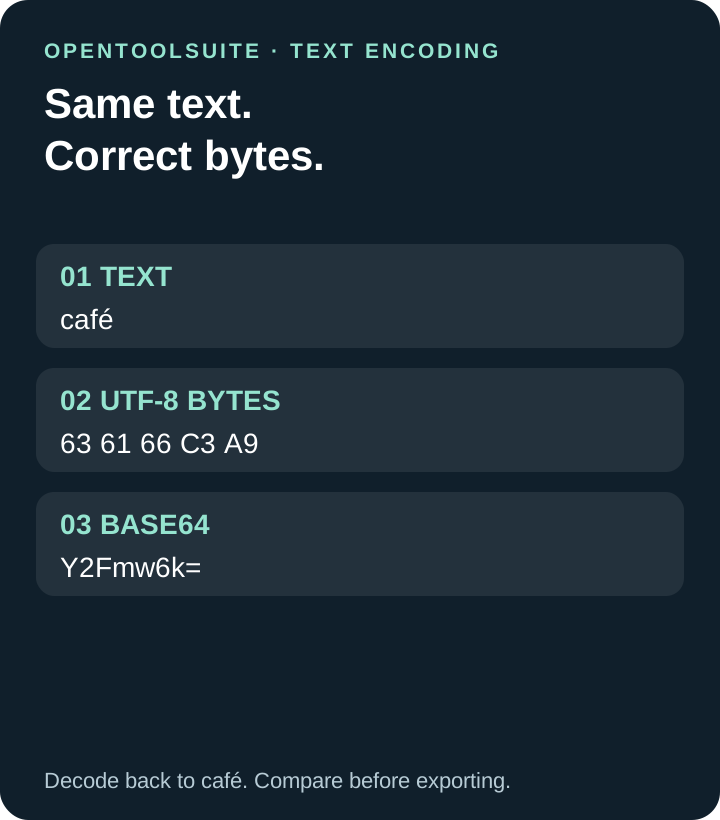
These are synthetic examples, generated independently from UTF-8 bytes and checked against the conversion function: hello → aGVsbG8=; café → Y2Fmw6k=; नमस्ते → 4KSo4KSu4KS44KWN4KSk4KWH; مرحبا → 2YXYsdit2KjYpw==; 👩🏽💻 → 8J+RqfCfj73igI3wn5K7.
Paste only the text on one side of the arrow. Do not include the explanatory punctuation. The woman-technologist emoji contains several code points, including a skin-tone modifier and a joiner. Copy the complete sequence rather than rebuilding it character by character.
The output length follows the number of bytes, not the number of visible letters. नमस्ते occupies 18 UTF-8 bytes in this fixture and becomes 24 Base64 characters. That is why a short phrase can produce a surprisingly long value.
Why plain btoa can fail—or quietly produce the wrong bytes
The browser function btoa treats each input character as a single-byte value. Characters outside that range cause an error. Hindi letters and emoji need more than that byte-oriented interpretation; convert the text to UTF-8 bytes first.
Accented text exposes a subtler case: btoa("é") does not have to throw, because é is within the accepted range. But that direct call produces 6Q==, representing one byte, while UTF-8 encoding of é produces w6k=, representing the two bytes C3 A9. Calling both results “Unicode-safe” would hide the difference.
For new JavaScript code, TextEncoder provides UTF-8 bytes, and TextDecoder turns bytes back into text. A fatal UTF-8 decoder reports invalid byte sequences instead of silently substituting a replacement character. The exact behavior still depends on the decoder options and the surrounding application.
A decoding error has more than one possible cause
First check the selected mode. A Base64 value belongs in Base64 decode; percent escapes such as %E0%A4%A8 belong in URL decode. Those are separate formats. Then check whether you copied extra quotes, a data: prefix, or punctuation from a surrounding message.
Next check the variant. Standard Base64 uses + and /; Base64url uses - and _. OpenToolSuite’s current text converter uses standard Base64. Its URL encode mode performs percent-encoding; it does not switch Base64 to Base64url. Use the variant required by the receiving protocol rather than replacing symbols at random.
Finally, remember that valid Base64 can hold an image, archive, or text in another character encoding. For example, /w== is valid Base64 for the byte FF, but that byte is not valid UTF-8 by itself. This text converter reports a conversion error; it does not turn arbitrary binary data into a downloadable original file.
When the text looks right but the encoded values differ
An extra newline changes the bytes. So do leading spaces and different Unicode sequences that happen to render similarly. In our fixtures, the single character é becomes w6k=, while e followed by a combining acute accent becomes ZcyB. Both can look like the same word on screen.
Do not normalize, trim, or re-encode a value unless the consuming system permits that change. Compare a harmless original and decoded sample first. For structured JSON text, inspect the decoded text before using the JSON formatter; formatting itself can change whitespace.
A broken surrogate in a JavaScript string is another boundary case. Google’s web.dev guide explains why some APIs replace malformed Unicode while others reject it. Do not silently “repair” such input when exact preservation matters.
What this guide verifies—and what encoding does not protect
The saved tests check known UTF-8 outputs, round trips, malformed Base64, invalid UTF-8 and success-to-error recovery. They also check that ordinary decoded text beginning with “Unable” is still treated as data, and that translated interface labels do not replace the decoded output.
On 18 October 2026, live browser checks encoded नमस्ते to the fixture above, copied that exact Base64 value, and decoded it back to नमस्ते. Decoding the emoji fixture returned 👩🏽💻. Separate checks confirmed that input and mode changes clear a previous result, malformed URL input disables export, and a valid conversion recovers normally.
Base64 provides no secrecy. Anyone with the encoded value can reverse it; encoding a password is not encryption. Use synthetic values when demonstrating the tool or sharing screenshots.
The inspected conversion handler runs browser string operations without an upload call. This statement concerns the conversion handler, not a complete audit of every network request, extension or device. Read the local-processing guide if you need to distinguish these claims.
Can Base64 represent Hindi and emoji?
Yes. Encode the complete text as UTF-8 bytes first, then Base64-encode those bytes. Reverse the same steps when decoding.
Why is a valid Base64 value rejected as text?
Its bytes may be binary data or text in an encoding other than UTF-8. A valid Base64 alphabet does not guarantee readable UTF-8 text.
Is URL encode the same as Base64url?
No. URL encode uses percent escapes. Base64url is a Base64 alphabet variant. This converter currently supports standard Base64 and separate URL component encoding.